How can I create a Multi-level IVR?
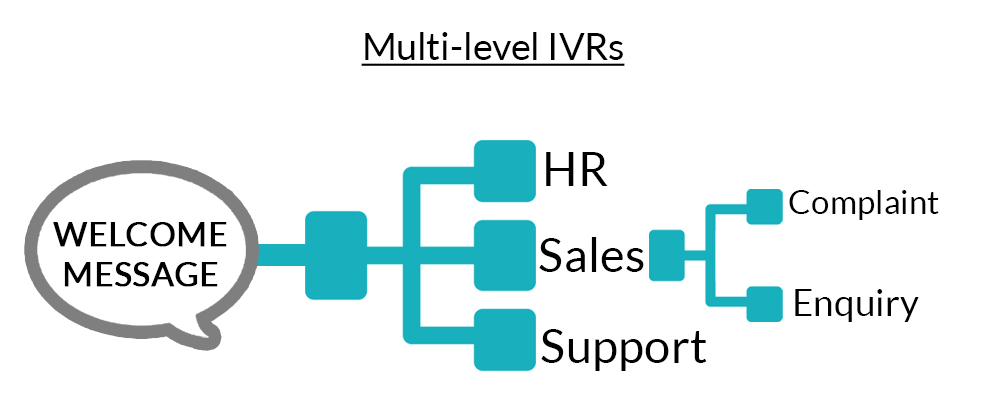
A multi-level IVR is one wherein your IVR has several levels. For example, if your IVR has three departments : HR, sales and support then, your IVR is a Multi-level IVR with 3 levels.
Related Articles
How can I create a Multi-level IVR?
Short answer: Build a top‑level IVR menu, then add a Menu block under each option to create sub‑menus (Level 2, Level 3, etc.). Connect each final path to a destination (queue, user, or voicemail), set repeat/timeout behavior, and publish. When to ...What is the difference between a “Multi-Level” IVR and “Multiple” IVRs?
Multiple IVRs Multi-level IVRs Multiple IVRs are when you create several IVRs for specific requirements based on time, days,contacts, locations etc. A multi-level IVR is one wherein your IVR has several levels. For example, if your IVR has three ...How can I create a Multi-level IVR?
1. Login to your MyOperator panel and click on “Manage” at the top. 2. In the settings section click on “Design Callflow”. 3. Click on “Create new call flow” or Edit Live call flow 4. Click on “Create Advance Call Flow” link. 5. Click on Add button ...What is the difference between a “Multi-Level” IVR and “Multiple” IVRs?
Short answer: A multi‑level IVR is one call flow with sub‑menus under the main menu (e.g., 1 → Sales → 1 New Orders / 2 Existing Orders). Multiple IVRs are separate call flows that activate under different entry conditions (different numbers, ...What is the difference between a “Multi-Level” IVR and having “Multiple” IVRs and how to configure them in MyOperator?
⚡Quick answer - Multi-Level IVR = one IVR tree with nested menus under a single phone number. Multiple IVRs = several independent IVR flows, each tied to a different number, schedule, or campaign. Choose Multi-Level if you want layered navigation on ...